WiFi Speed behaves in a sine curve, independently of true Network strength, speed or usage.
E.g. downloading a steam game gives the graph showing below (maxing out at 3.5 MB and constantly throttling down to single digit KB/s.)
This behavior is also visible during web browsing, gaming, voice chat and more (discord disconnecting every 25 seconds when the speed drops to near zero, reconnecting when it goes up again)
Online Gaming is generally unplayable with lags going to the extremes multiple times per minute while also provoking disconnects when connection isn’t picking up again fast enough.
This behavior wasn’t visible under Windows 11, trying to move closer to the router only changes the max speeds of this sine curve-like behavior. Additionally, the displayed signal strength is displayed at around half while being under 2m away from the signal source.
Wifi not properly working
i can test it in other ways if you have something that measures network speed in a graph like steam does
Peedtest with everything else closed.
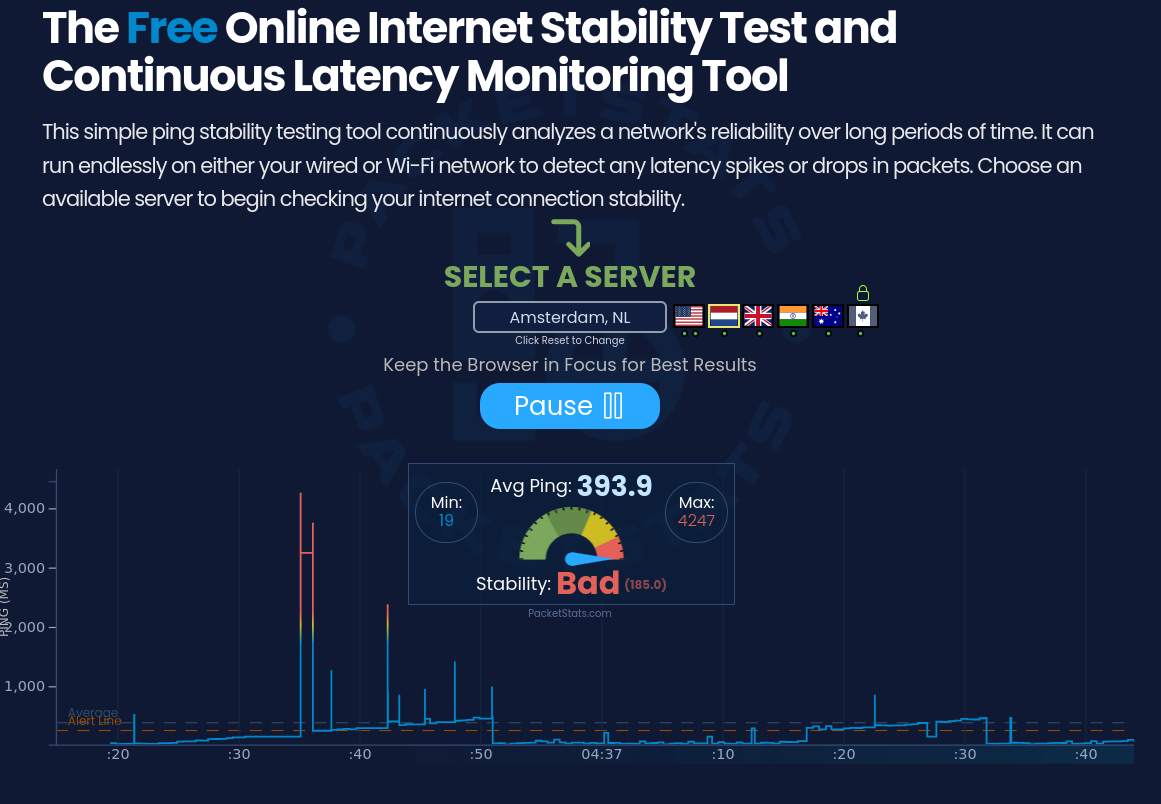
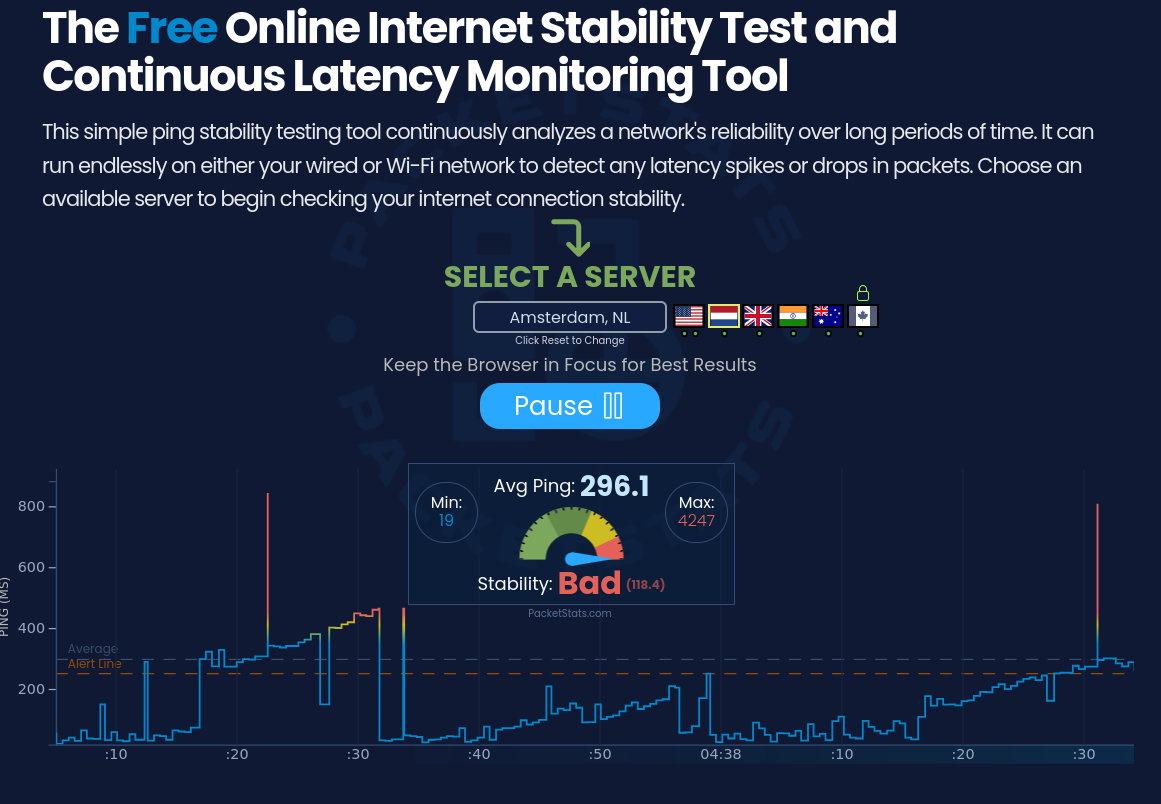
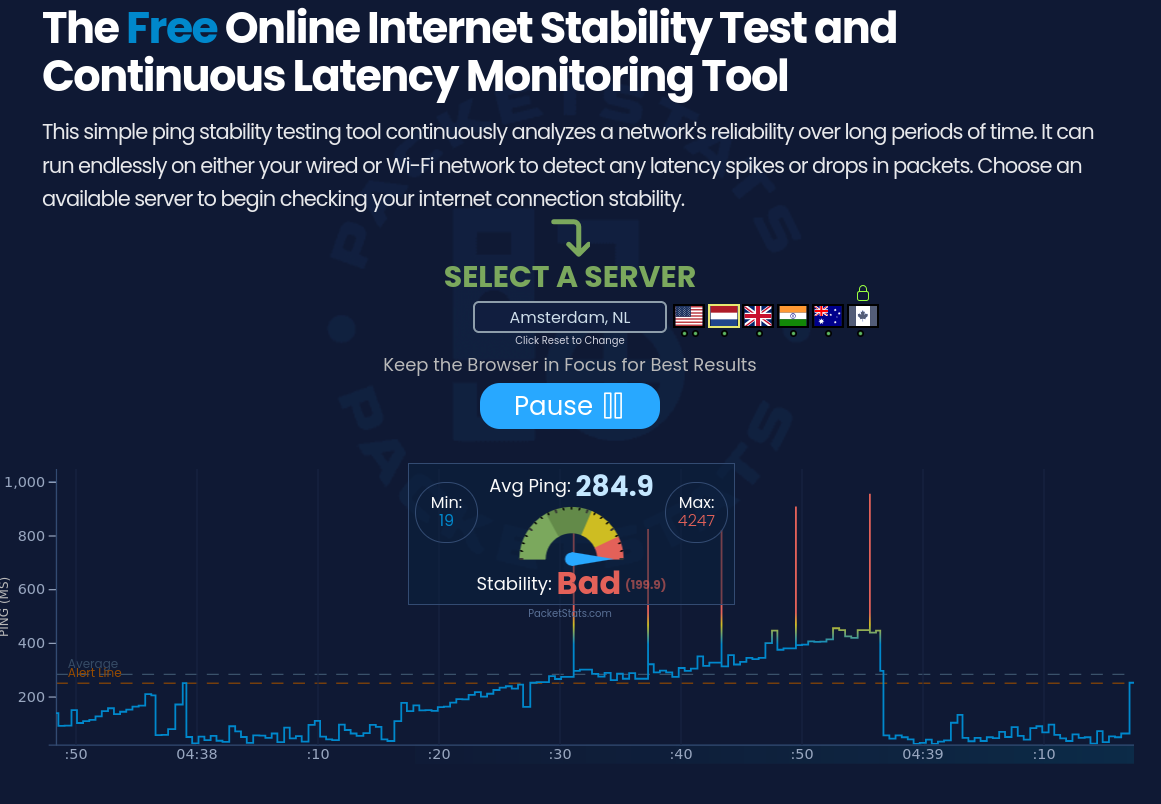
ping of 4.2 seconds, 0.4 seconds on average
repeating pattern in line of download speed
it is worth to mention that im living at the dutch border, meaning using a server in hamburg or frankfurt would only yield worse results
Due to this, webbrowsing is a gamble of a website taking 2 minutes to load or it being instant, depending how far the network is collapsing right now. Youtube is barely possible (some load times at the down section while in 144p). Steam download goign with a snails pace, and anything that requires a stable connection and ping that is under 5 seconds is straight up impossible to work with.
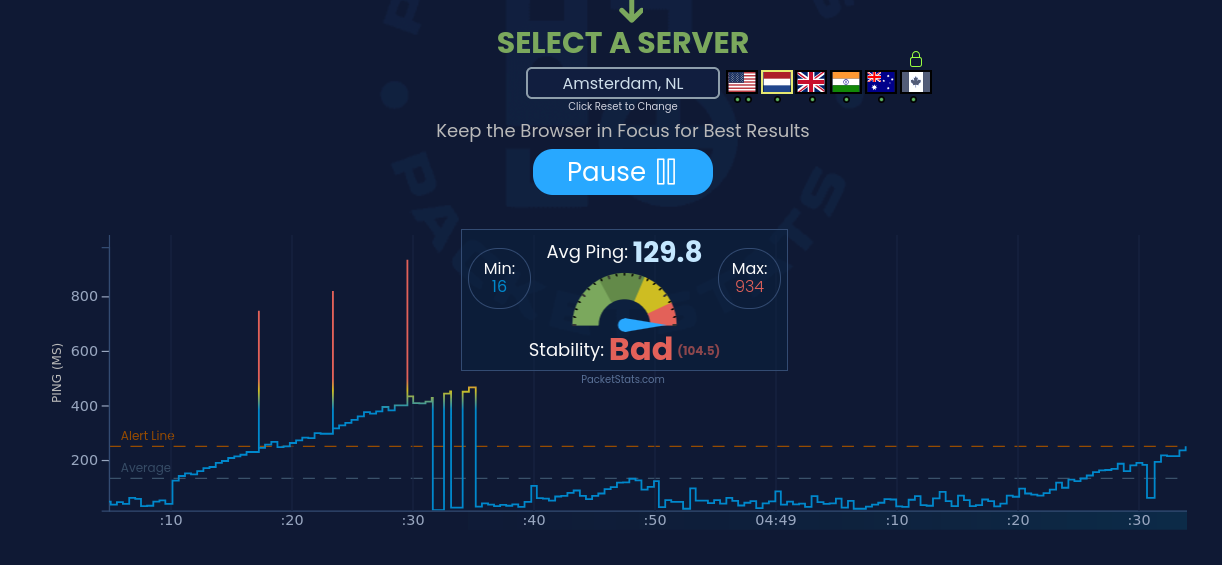
using external means of connection like a ethernet adapter or using a phone’s Wifi connection via USB thetering dosent change this behaviour (following graph was made using my phone’s wifi antenna)
its minimally better, but still unusable in mst cases
Did you have the same issue on other distros?
No, but that was some months ago. Gonna test it further